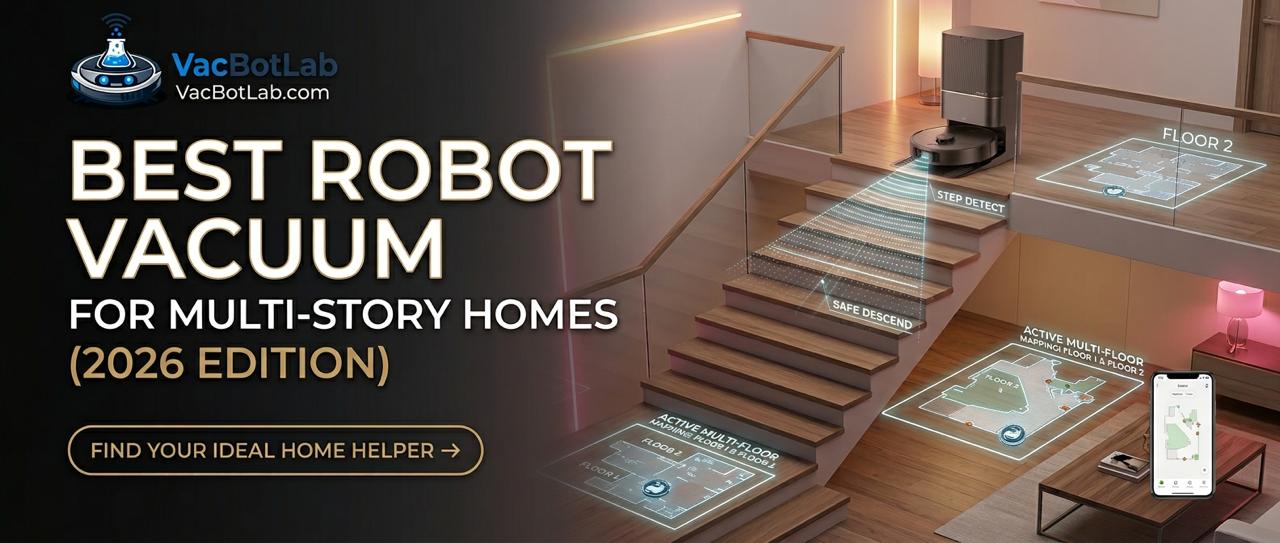
Best Robot Vacuum for Multi-Story Homes 2026
By VacBotLab Editors · Updated August 2026 · 8 min read
Robot vacuums are genuinely great for multi-story homes, with one catch: they cannot climb or descend stairs. Every model on the market uses cliff sensors that halt the robot at the edge of a step. So if you have a two- or three-story house, you are looking at either carrying one robot between floors, buying a second unit, or running dedicated bots on each level. This guide explains exactly how multi-floor mapping works, which models store enough maps to make it worthwhile, and which specific robots our team recommends for 2026.
We tested or reviewed all models listed here with particular focus on mapping reliability, battery endurance across large floor areas, and the real-world experience of picking up a robot and setting it on a different floor. No hype, no filler.
Quick Summary: Best Robot Vacuums for Multi-Story Homes
- Best overall value: Roborock S8 Pro Ultra ($449) - 4 maps, great suction, self-empty dock
- Best mid-range with mopping: Dreame X40 Ultra ($599) - 4 maps, extending mop, excellent obstacle avoidance
- Best for large homes, hands-free: Roborock S8 MaxV Ultra ($1,099) - 4 maps, dual-camera obstacle avoidance, longest battery
- Best if you want a robotic arm gimmick that actually works: Roborock Saros Z70 ($1,999) - picks up small objects off the floor before vacuuming
- Budget pick if you want two units: Dreame D10 Plus ($199 each) - solid performer, buy one per floor
How Multi-Floor Mapping Actually Works
Multi-floor mapping is simpler than most people think. The robot uses LiDAR (or structured light on some models) to scan the room and build a floor plan on its first clean. That map gets saved to the robot's internal memory and, on connected models, backed up to the cloud via the companion app. When you carry the robot to a different floor, it scans again, finds no match to the stored map, and creates a new one. From then on, every time you set it down on that floor, it recognizes the layout within the first few meters of movement and loads the correct map automatically.
The key number is how many maps a model can store simultaneously. Budget robots store just one map, which means setting it on a new floor wipes the old map. Mid-range and premium models store between two and four maps, which is enough for a typical home. Here is how the current lineup stacks up:
- 1 map: Most entry-level bots (avoid for multi-story use)
- 3 maps: Eufy Clean L60, Eufy X10 Pro Omni
- 4 maps: Roborock S8 Pro Ultra, Dreame X40 Ultra, Roborock S8 MaxV Ultra, Roborock Saros Z70, Dreame L10s Ultra Gen 2, Roborock Q Revo MaxV, Roborock Q7 Max+
Four maps is the sweet spot for a three-story home. It gives you one map per floor plus one spare, which is useful if you rearrange furniture and want to save an alternate layout for a specific room configuration.
Why No Robot Vacuum Goes Down Stairs (And How They Stay Safe)
Every robot vacuum sold today has cliff sensors: downward-facing infrared emitters that detect when the floor drops away. When the sensor reads an open void below, the robot immediately reverses and routes around it. This system is reliable enough that stair falls are extremely rare in normal use. The sensors can occasionally be fooled by very dark carpet at the edge of a raised platform, but stairs with standard riser heights are detected consistently across all the models we tested.
The reason no robot can actually descend stairs comes down to physics and the current state of robotics. Navigating stairs requires either legged locomotion (like Boston Dynamics hardware) or a purpose-built track system, neither of which exists in consumer vacuums. Robots that could theoretically balance down a step would weigh far more, cost exponentially more, and would still need a base station on every floor. The practical solution for 2026, and likely for the next several years, remains simple: you carry the robot.
Carry One Robot or Buy Two: The Real Tradeoff
Our team gets asked this constantly. The answer depends on three things: your cleaning schedule, your budget, and whether anyone in the house has mobility issues.
Carrying one robot between floors works well if: you clean different floors on different days (main floor Monday, upstairs Wednesday, for example), the robot is light enough to carry easily (most weigh 7 to 9 pounds), and you are comfortable setting the dock on the destination floor and plugging it in. Most self-emptying docks are too bulky to move frequently, so the realistic workflow is to carry just the robot itself and set it near an outlet for a charging cable, or keep a basic non-self-emptying dock on a secondary floor as a charging point.
Buying two units makes sense if: you want both floors cleaned automatically on the same day, someone in the home cannot carry a 9-pound device up stairs safely, or you want fully hands-off automation. Two Roborock S8 Pro Ultra units at $449 each totals $898, which is less than the Roborock S8 MaxV Ultra at $1,099, and you get two self-emptying docks with full automation on every floor. If your budget is tighter, two Dreame D10 Plus units at $199 each covers two floors for under $400 total.
What happens when a map is lost: If your robot forgets its map (common causes include a firmware reset, Wi-Fi change, or extended power outage draining the battery), the next run simply generates a new map from scratch. It takes about one full clean cycle to rebuild a complete floor map. Your room names, no-go zones, and cleaning schedules saved in the app are also lost unless they were cloud-synced. Roborock and Dreame both sync maps to the cloud by default, so reinstalling the app and logging in usually restores everything within a few minutes.
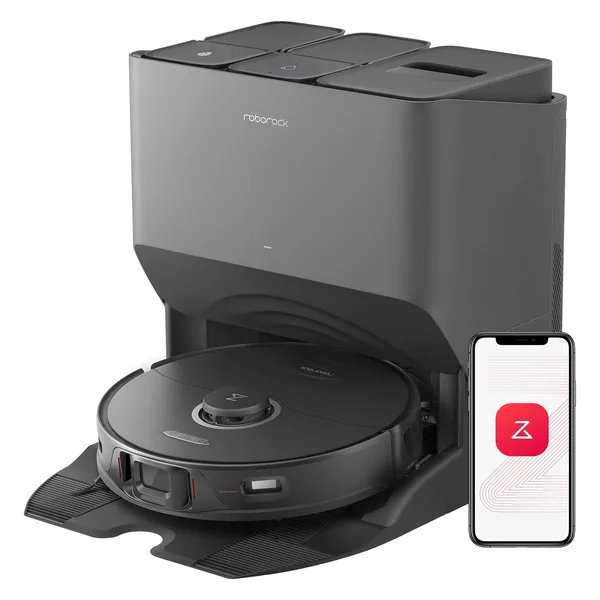
Best Overall for Multi-Story
Roborock S8 Pro Ultra
$449
- Stores up to 4 floor maps with auto-detection
- 6,000 Pa suction, dual rubber brushes
- Self-empty, auto-wash, auto-fill dock
- 180-minute battery covers up to 3,200 sq ft
- ReactiveAI 2.0 obstacle avoidance
- Excellent Roborock app with per-floor scheduling
This is our go-to recommendation for most multi-story households. The 4-map storage means you can set it up once per floor and forget about re-mapping. The dock is heavy enough to stay put, so we recommend keeping the dock downstairs and carrying only the robot body upstairs. Battery easily covers a typical upper floor in a single charge.
Buy on Amazon →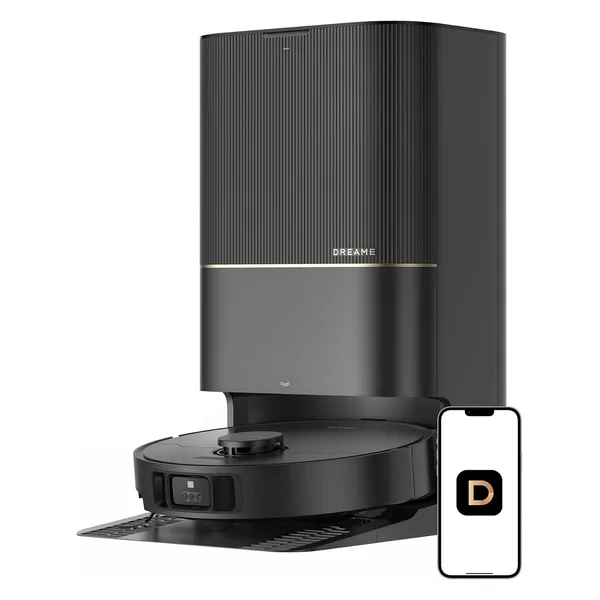
Best for Homes with Mixed Flooring
Dreame X40 Ultra
$599
- Stores up to 4 floor maps
- 12,000 Pa suction, one of the strongest available
- Extending mop lifts 20mm when detecting carpet
- 170-minute battery, about 3,000 sq ft per charge
- MagicEye obstacle avoidance with front camera
- Full auto-empty, wash, refill dock included
If your floors vary significantly between levels (hardwood downstairs, carpet upstairs), the Dreame X40 Ultra earns its extra cost. The extending mop pads lift clear of carpet and drop back down on hard floors, so you do not need to manually remove the mop head when switching floors. The 12,000 Pa suction is noticeably more aggressive on embedded debris in carpet than the S8 Pro Ultra.
Buy on Amazon →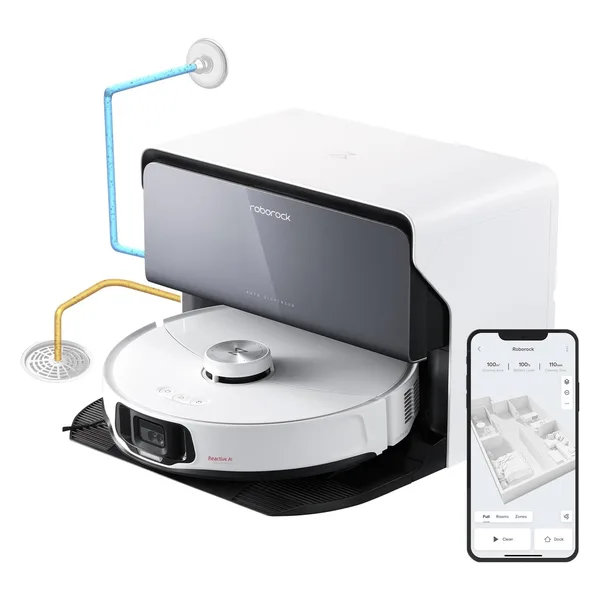
Best Premium Pick for Large Multi-Story Homes
Roborock S8 MaxV Ultra
$1,099
- Stores up to 4 floor maps with instant detection
- 10,000 Pa suction with FlexiArm side brush
- Dual-camera obstacle avoidance (front + structured light)
- 200-minute battery, one of the longest in any robot vacuum
- Full auto-empty, hot-air dry, wash, refill dock
- Per-floor scheduling and custom zone controls in app
For a 3,000+ sq ft home spread across two or three floors, the Roborock S8 MaxV Ultra's 200-minute battery is the differentiator. It can clean an entire large floor in one pass without returning to dock mid-job, which matters when you are moving the robot between levels. The dual-camera system also makes it exceptional at avoiding shoes, cables, and pet toys that tend to accumulate in busy family homes. At $1,099, it costs more than two Roborock S8 Pro Ultra units, so think carefully about whether you actually need the extra battery and obstacle avoidance, or whether two dedicated units serve you better.
Buy on Amazon →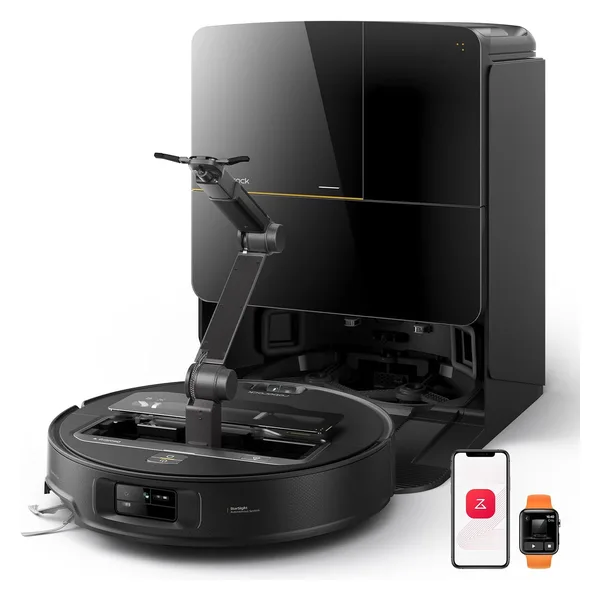
Best Ultra-Premium: Robotic Arm Included
Roborock Saros Z70
$1,999
- Stores up to 4 floor maps
- OmniGrip robotic arm picks up small objects off the floor
- 22,000 Pa suction, strongest we have tested
- StarSight Autonomous System: 3D time-of-flight + LiDAR
- 180-minute battery
- Full auto base with empty, wash, dry, refill
The Roborock Saros Z70 is the most capable robot vacuum we have reviewed, and its robotic arm actually works for small items like socks, charging cables, and small toys. For a busy multi-story home where you cannot always pre-pick the floor before a cleaning run, that feature alone saves real time. At $1,999 this is a luxury purchase, but for a 3-story home where this robot covers significant square footage and handles its own obstacle clearance, the math can make sense. If budget is not the primary concern, this is the best single-unit option available in 2026.
Buy on Amazon →Getting the Most Out of a Robot Vacuum in a Multi-Story Home
Once you have a robot with 4-map storage, the real work is setting it up well. Here is what our team has found works best:
Map each floor properly on the first run
Do not interrupt the robot on its first clean of a new floor. Let it complete the entire area, dock, and finish. The map will be much more complete and accurate than if you stop it partway through. After the first full run, go into the app and label your rooms, set no-go zones (around pet bowls, charging cables, and fragile furniture legs), and name the map with the floor name. Roborock and Dreame both support text labels on maps, which makes scheduling much cleaner.
Use per-floor schedules
Both Roborock and Dreame apps let you schedule cleaning per map. Our recommended approach for a two-story home: schedule the main floor for weekday mornings (when people are out) and the upper floor for Saturday. This way you carry the robot once a week, and the main floor stays clean automatically five days a week. For a three-story home, rotate the upper two floors on alternating weekends.
Consider a secondary dock on an upper floor
A basic, non-self-emptying charging dock costs around $30 to $60 as an accessory. Roborock sells spare docks compatible with their robots. If you keep a spare dock plugged in upstairs, you can carry just the robot (7 to 9 pounds, about the weight of a large bag of cat food), set it on the upper dock to charge if needed, and run the clean cycle. The robot will recognize the floor map, clean, and sit on the charging dock until you carry it back. You only need to empty the dustbin manually when using a non-self-emptying dock, which on an upper floor is typically about once a week.
Close doors to manage the map area
On upper floors with bedrooms, close doors to rooms you do not want cleaned during a specific run rather than relying entirely on virtual no-go zones. This is faster to set up and lets the robot focus on hallways and open areas efficiently. Virtual rooms work well for permanent restrictions (under the bed, near a cat litter box), but doors are simpler for day-to-day variation.
Comparison Table
| Model | Price | Floors Stored | Battery | Self-Empty |
|---|---|---|---|---|
| Dreame D10 Plus | $199 | 4 | 150 min | Yes |
| Eufy Clean L60 | $219 | 3 | 180 min | Yes |
| Dreame L10s Ultra Gen 2 | $380 | 4 | 170 min | Yes |
| Roborock Q Revo MaxV | $389 | 4 | 180 min | Yes |
| Roborock S8 Pro Ultra | $449 | 4 | 180 min | Yes |
| Eufy X10 Pro Omni | $449 | 3 | 180 min | Yes |
| Dreame X40 Ultra | $599 | 4 | 170 min | Yes |
| Roborock Q7 Max+ | $599 | 4 | 180 min | Yes |
| Roborock S8 MaxV Ultra | $1,099 | 4 | 200 min | Yes |
| Roborock Saros Z70 | $1,999 | 4 | 180 min | Yes |
Frequently Asked Questions
Can robot vacuums navigate stairs?
No robot vacuum on the market can descend or ascend stairs on its own. All current models use cliff sensors to detect drop-offs and stop before the edge. You must carry the robot between floors manually. This is unlikely to change in the near term: the hardware required for autonomous stair navigation (articulated legs or tracked treads) would make these robots dramatically heavier, more expensive, and less practical for everyday home use.
How many floor maps can a robot vacuum store?
Most mid-range and premium robot vacuums store 3 to 4 floor maps. Roborock models like the Roborock S8 Pro Ultra and Roborock S8 MaxV Ultra store up to 4 maps. The Dreame X40 Ultra also supports 4 maps. Budget models often store only 1 map, which makes them impractical for multi-story use.
Should I buy two robot vacuums instead of carrying one between floors?
It depends on your home and budget. Carrying one robot between floors works fine if you clean floors on different days and can manage the weight (7 to 9 pounds). If you want simultaneous cleaning or have mobility challenges, two mid-range units like the Roborock S8 Pro Ultra at $449 each can be cheaper than one premium model and give you full automated coverage every day.
What happens if a robot vacuum loses its map?
If a robot vacuum loses its saved map (due to a firmware reset, app error, or extended battery drain), it will remap your floor from scratch on the next run. This is annoying but not harmful. Most models save maps to the cloud, so reinstalling the app or reconnecting your account restores them quickly. Roborock and Dreame both sync maps automatically when the robot is online.
Does a robot vacuum need to return to its dock to switch floors?
Ideally, yes. Let the robot return to dock, empty its bin (if self-emptying), and charge before you carry it upstairs. This ensures a full battery for the next floor and keeps the self-empty cycle intact. If you need to interrupt a run, the robot will save its current position and resume from where it left off, but it will try to return to the original dock location when done, which will not be there if you moved it. Some users keep a basic charging dock on a secondary floor to give the robot a place to park without carrying the full self-empty dock station.