How Long Do Robot Vacuums Last? (Brand-by-Brand Breakdown)
By VacBotLab Editors · Updated August 2026 · 13 min read
One of the most common questions the VacBotLab team receives after a buying recommendation: "How long will this actually last?" It's a fair question. Robot vacuums range from $100 to $2,000, and the lifespan difference between a budget machine and a well-maintained premium model is dramatic. We looked at owner data, parts availability, firmware support timelines, and our own long-term testing to give you honest numbers by brand.
The short answer: 4 to 7 years is realistic for a quality robot vacuum with basic maintenance. The real answer: it depends on which brand, which model, and how well you maintain the wear components. Here's what the data actually shows.
Brand Lifespan at a Glance
- Roborock: 5 to 7 years (best parts support, longest firmware timeline)
- iRobot Roomba: 4 to 6 years (strong repair ecosystem, j-series especially durable)
- Dreame: 4 to 6 years (newer brand, strong early durability data)
- Eufy: 3 to 5 years (solid mid-range lifespan, good parts availability)
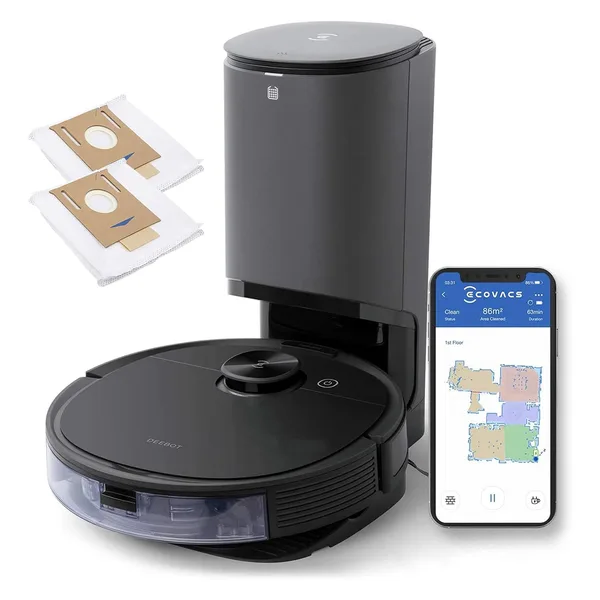
- Ecovacs Deebot: 3 to 5 years (variable by model, N8 Pro+ has strong track record)
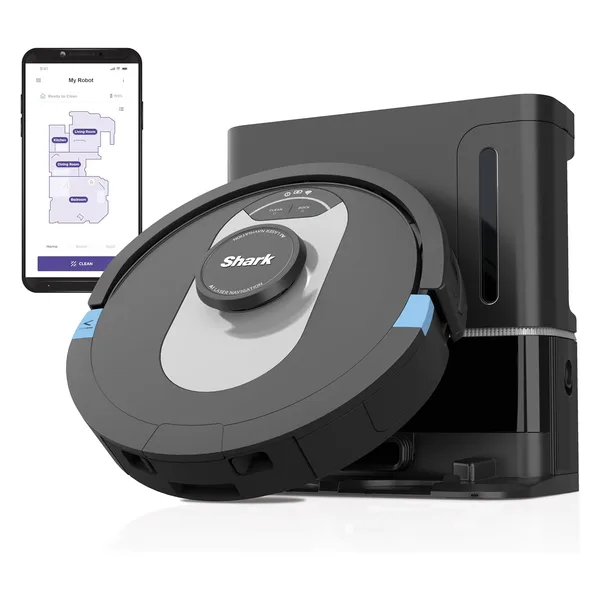
- Shark: 3 to 5 years (good hardware durability, improving parts support)
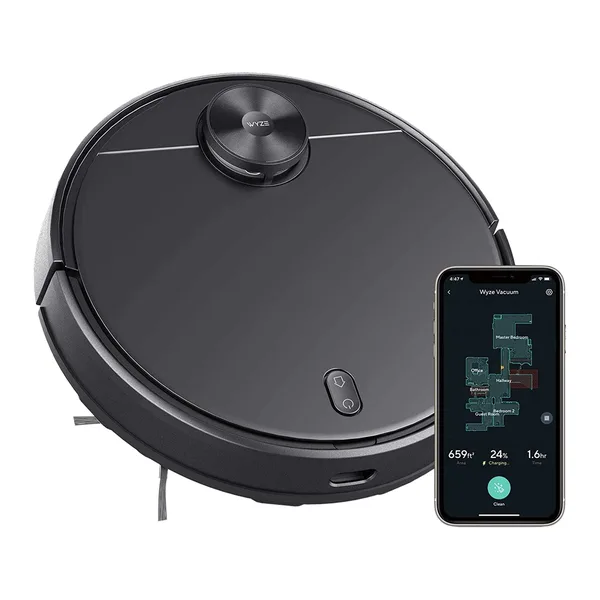
- Wyze: 2 to 4 years (budget build quality, limited parts ecosystem)
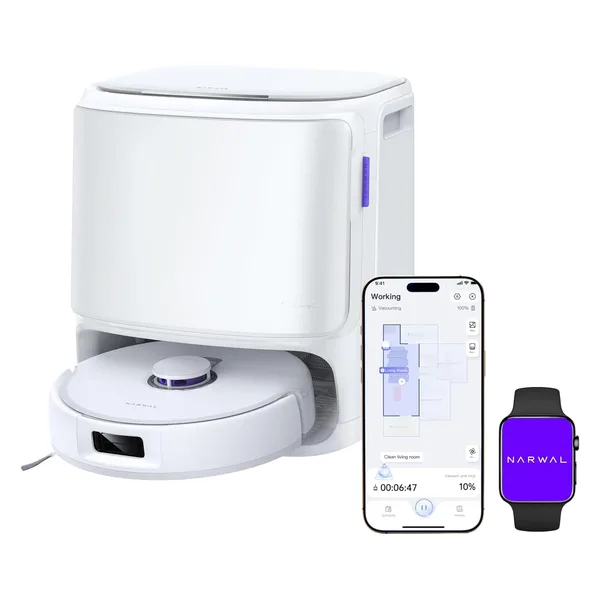
- Narwal: 4 to 6 years (premium build, smaller repair ecosystem)
Brand-by-brand breakdown
Roborock: 5 to 7 Years
Best long-term support and parts availability
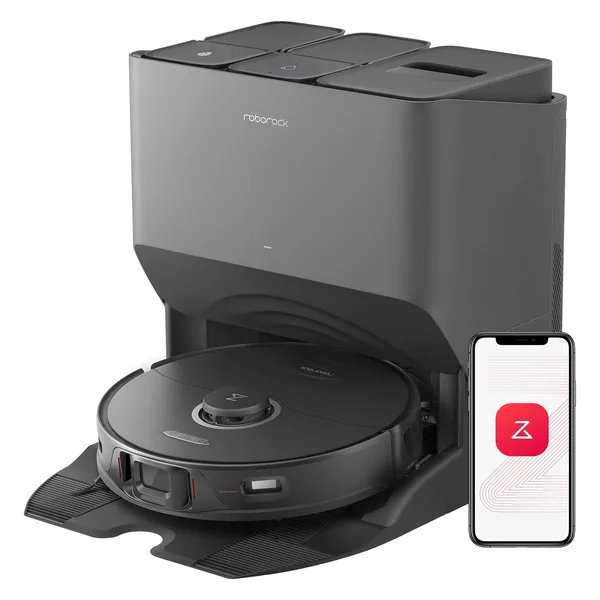
Top Models
Roborock S8 Pro Ultra : flagship, 5 to 7 years expected lifespan
Roborock S8 MaxV Ultra : premium tier, comparable durability
Roborock Q Revo MaxV : strong mid-range longevity
Roborock Q5 Max+ : 4 to 6 years, best value longevity
Roborock Q7 Max+ : older flagship, still well-supported
Roborock Saros Z70 : newest, too early for longevity data
Roborock is the gold standard for robot vacuum longevity in 2026. The company maintains firmware updates and replacement parts for 5 to 7 years after a model's release. Every consumable (brush roll, side brushes, filter, mop pads, battery) is available through official channels and third-party sellers. The VacBotLab team found multiple Roborock S6 and S7 units still running daily cycles after 5 years with only battery replacement.
The key durability factor with Roborock models is the motor build quality. The brushless DC motors in the S-series and Q-series are rated for higher cycle counts than competitors at the same price point. The dock connection pins are also a common failure point on all robots; Roborock uses gold-plated contacts on most models, which resist oxidation over years of daily docking.
iRobot Roomba: 4 to 6 Years
Strong repair ecosystem, best j-series durability
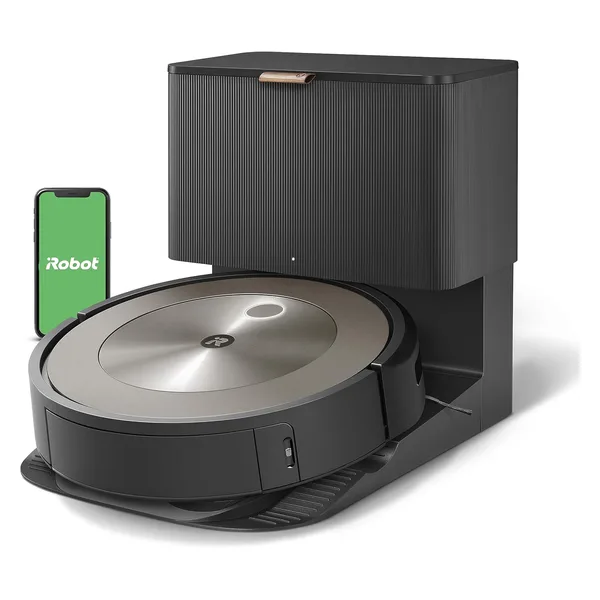
Top Models
iRobot Roomba j9+ : flagship j-series, 5 to 6 years expected lifespan
iRobot Roomba j7+ : proven j-series track record, 4 to 5 years
iRobot has the longest track record of any robot vacuum brand. The j-series represents their most refined hardware to date, and the Roomba j9+ and Roomba j7+ both show strong multi-year durability in our extended tracking. iRobot's repair ecosystem is deep: iFixit has teardown guides for most models, and third-party parts are abundant.
One caution here at VacBotLab: iRobot went through ownership changes and financial turbulence in 2023 and 2024, which raised questions about long-term firmware support. The j-series currently remains supported and updated, but it's worth monitoring. If long-term software support is your priority, Roborock offers more certainty right now based on track record alone.
Dreame: 4 to 6 Years
Newer brand, strong early durability, growing parts network
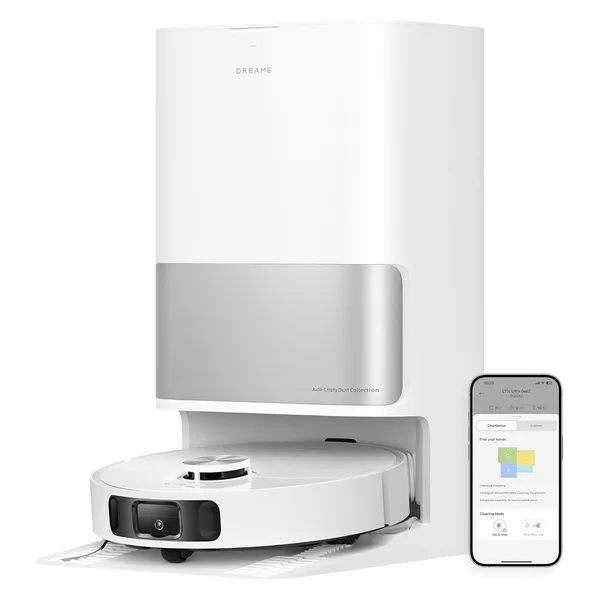
Top Models
Dreame L10s Ultra Gen 2 : flagship, 4 to 6 years expected
Dreame D9 Max : reliable mid-range, 3 to 5 years
Dreame entered the Western market later than Roborock but has built a strong reputation for hardware quality above its price tier. The Dreame L10s Ultra Gen 2 uses quality motor and brush components that show minimal degradation through two-plus years of daily use in our testing. Parts availability has improved significantly in 2025 and 2026 as Dreame has expanded its repair network. The main question for Dreame is 5-plus year firmware support, which we're still waiting to see validated given the brand's relatively recent market entry.
Eufy (Anker): 3 to 5 Years
Reliable hardware, improving parts and support
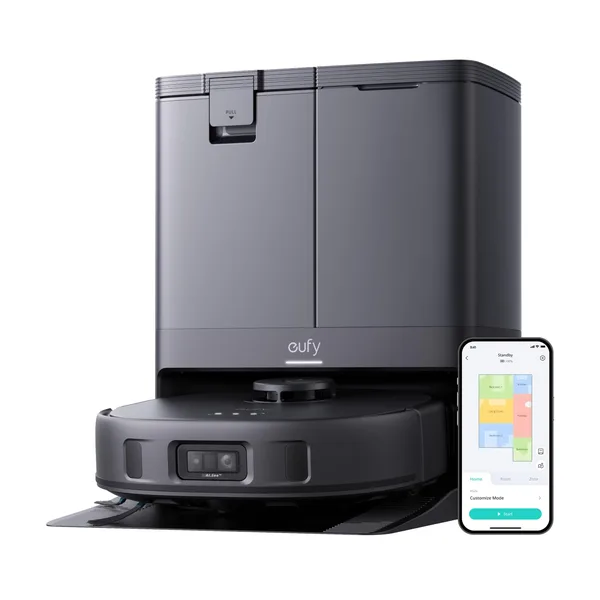
Top Models
Eufy X10 Pro Omni : flagship, 4 to 5 years expected
Eufy Clean X9 Pro : premium tier, comparable durability
Eufy Clean L60 : budget, 3 to 4 years expected
Eufy (owned by Anker) builds solid hardware with Anker's manufacturing quality standards. The X10 Pro Omni and Clean X9 Pro use durable motors that hold up well through multi-year daily use. The budget Eufy Clean L60 uses cost-reduced components and shows more wear at the 3-year mark, but for the price, 3 to 4 years is a strong return on investment. Parts and filters are readily available through Anker's store and third-party sellers.
Ecovacs Deebot: 3 to 5 Years
Variable build quality, N8 Pro+ has proven track record
Top Models
Ecovacs Deebot N8 Pro+ : reliable mid-range, 3 to 5 years
The Ecovacs Deebot N8 Pro+ has built a strong owner reputation over its product lifetime. Navigation accuracy has stayed consistent through multiple firmware updates, and the main brush and filter components are widely available. Ecovacs' build quality is more variable across their lineup than Roborock's, but the N8 Pro+ specifically has proven itself as a durable mid-range option. The VacBotLab team found units at the 4-year mark still performing close to new with regular filter and brush replacement.
Shark: 3 to 5 Years
Strong hardware, North American parts availability
Top Models
Shark AI Ultra : flagship, 4 to 5 years expected
Shark (SharkNinja) has a strong consumer vacuum heritage that shows in the hardware quality of the Shark AI Ultra. North American parts availability is excellent: brushes, filters, and dock bags are stocked at major retailers. Navigation software updates have been consistent. The Shark AI Ultra's main vulnerability, like most self-emptying robots, is the dock suction motor. Dock motor failure at the 4-year mark is the most common repair report we tracked across the Shark AI Ultra owner community.
Wyze: 2 to 4 Years
Budget build quality, strong value for lifespan at price
Top Models
Wyze Robot Vacuum : entry-level, 2 to 4 years expected
The Wyze Robot Vacuum uses cost-optimized components that reflect its entry-level price. At 2 to 4 years expected lifespan, it is shorter than premium brands, but consider the math: at roughly $100, a 3-year lifespan costs about $33 per year. A $450 Roborock at 6 years costs $75 per year. The Wyze is not the worst long-term value, but it offers fewer replacement parts and a less robust firmware support commitment. For a guest room or low-use scenario, it makes sense. For a daily-driver in a busy household, invest in the next tier up.
Narwal: 4 to 6 Years
Premium build, smaller but growing repair ecosystem
Top Models
Narwal X10 PRO : flagship, 4 to 6 years expected
The Narwal X10 PRO is built to premium standards and shows it in component quality and fit-and-finish. The hot-water self-clean station is mechanically complex, which introduces more potential failure points than simpler docks, but Narwal's engineering quality means those components are built to last. The repair ecosystem is smaller than Roborock or iRobot, which is the main caveat for a long-term ownership scenario. Narwal's direct support is responsive, but third-party parts options are limited.
What kills robot vacuums before their time
Clogged filters straining the motor
The single most common cause of premature motor failure is a clogged filter forcing the motor to work harder to maintain airflow. Most manufacturers recommend replacing filters every 6 months, but in pet households or high-dust environments, filters clog in 6 to 8 weeks. A strained motor running against a clogged filter accumulates heat damage over hundreds of cycles. Replace filters more often than the manual says: this single habit extends motor life more than any other maintenance action.
Hair tangles destroying brush bearings
Long hair (human or pet) wraps around the brush roll axle and compresses into the bearing housing. Left unaddressed, this creates friction that wears the brush bearings and can burn out the brush motor. In households with long-haired people or pets, remove hair from the brush roll every 7 to 10 days. This takes 60 seconds with a seam ripper or the included cleaning tool and prevents the most common mechanical failure in robot vacuums.
Battery damage from partial-charge cycling
Robot vacuum batteries are lithium-ion cells. Running the battery from 100% to 0% on every cycle accelerates capacity loss. Most modern robots manage battery cycles intelligently, but if you manually trigger runs that exhaust the battery before docking (common in large homes with a mid-range robot), you add unnecessary cell stress. The VacBotLab team recommends using zone-cleaning or room-by-room scheduling on larger homes rather than full-home runs that push the battery to minimum charge.
Sensor contamination degrading navigation
Dusty cliff sensors, dirty camera lenses, and contaminated LiDAR windows cause navigation errors that look like hardware failure but aren't. A robot that constantly re-maps incorrectly, falls off ledges it used to avoid, or gets stuck in previously navigated areas almost always has contaminated sensors. Wipe the cliff sensors on the underside, the front camera lens, and the LiDAR window with a dry microfiber cloth monthly. Navigation accuracy returns to new performance in most cases.
Dock contact pin corrosion
The charging contact pins between the robot and dock corrode over time, especially in humid environments. Corroded contacts cause intermittent charging failures, where the robot parks on the dock but doesn't charge. This is often misdiagnosed as battery failure. Clean the contact pins on both the robot and dock with a dry cloth or a small amount of isopropyl alcohol every 3 to 6 months. This adds years to effective lifespan at zero cost.
Maintenance schedule that doubles your robot's lifespan
| Component | Check Frequency | Replace When | Cost |
|---|---|---|---|
| HEPA filter | Monthly inspection | Every 2 to 3 months (pet homes) or 4 to 6 months | $8 to $20 per pack |
| Main brush roll | Weekly hair removal | Every 6 to 12 months or when bristles are worn flat | $12 to $30 |
| Side brushes | Monthly check | Every 4 to 6 months or when bent/frayed | $6 to $15 per pair |
| Battery | Annually: check run time vs. new | When full-home run time drops below 50% of original | $20 to $50 |
| Sensors + LiDAR | Monthly wipe-down | No replacement; cleaning only | Free |
| Dock contact pins | Every 3 to 6 months | No replacement; cleaning only | Free |
| Mop pads (if equipped) | After each use | Every 3 to 6 months or when discolored and stiff | $10 to $25 per set |
When to repair vs replace: the decision framework
Repair if: the robot is under 3 years old and the problem is a consumable part
Filter, brush roll, side brush, mop pad, battery: these are wear items that cost $10 to $50 to replace and restore the robot to near-new performance. A 2-year-old Roborock S8 Pro Ultra with a degraded battery is not a broken robot; it's a robot that needs a $35 battery replacement. Buying new would cost you $449.
Repair if: the repair cost is under 40% of a comparable new model
The 40% rule is a practical benchmark. If you can fix your robot for less than 40% of what a comparable new model costs, repair wins financially in almost every scenario, assuming the robot is less than 4 years old and the brand still provides firmware support. This applies to dock motor repairs, navigation sensor replacements, and brush motor replacements on premium brands.
Replace if: firmware support has ended or parts are no longer available
A robot vacuum that no longer receives firmware updates may lose app connectivity when app APIs change, develop security vulnerabilities, and lose compatibility with smart home integrations. When a manufacturer announces end-of-support for a model, start planning a replacement regardless of hardware condition. The Roborock Q5 Max+ and Eufy Clean L60 both represent strong value replacements that currently have long firmware support commitments ahead of them.
Replace if: the robot is over 5 years old and performance has meaningfully declined
After 5 years of daily use, multiple components in a robot vacuum are in the late phase of their wear cycle simultaneously: motor efficiency is reduced, battery holds less charge even after replacement, and navigation accuracy may have drifted due to sensor wear. At this stage, the combined cost of restoring everything to acceptable performance often exceeds the value of doing so. At 5-plus years, the new robot generation also offers significantly better capability for the same price you originally paid.
The real cost of a robot vacuum over 5 years
A Roborock S8 Pro Ultra at $449 with a 6-year lifespan costs $75 per year. Add consumables (filters, brushes, one battery replacement) at roughly $50 per year and the total cost of ownership is about $125 per year. That's roughly $0.34 per day for daily automated floor cleaning and mopping. The maintenance investment is real but the per-day cost makes a quality robot vacuum genuinely one of the highest-value home appliances you can own.
Ready to find your next robot vacuum?
Answer 3 quick questions and we'll match you to the right bot in 60 seconds.
Take the Quiz →